
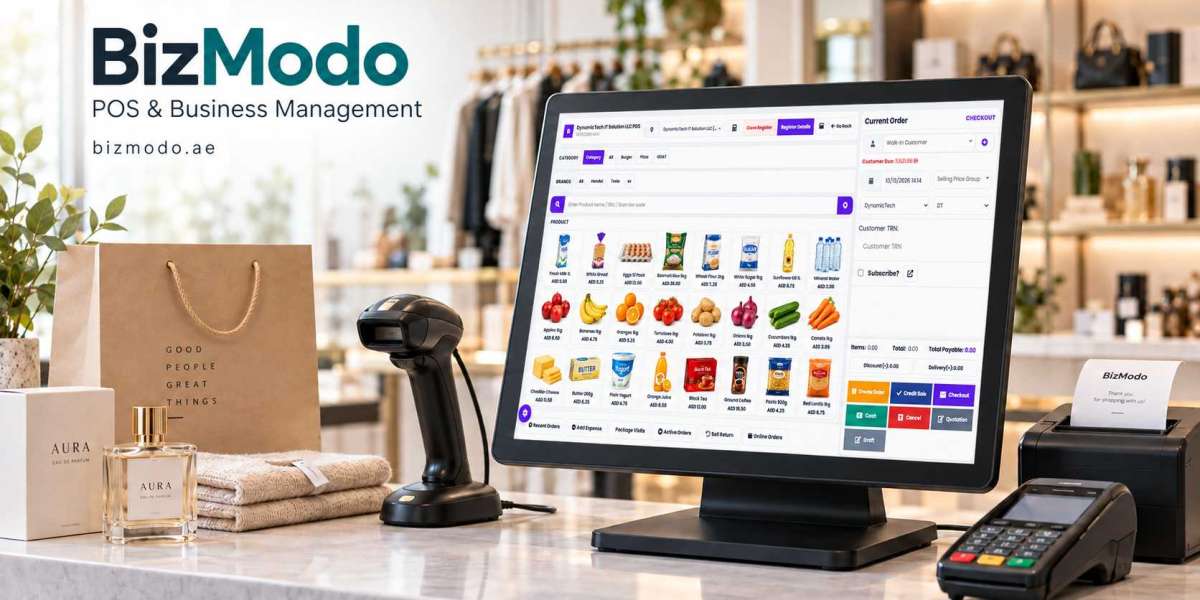
A customer brings three items to the counter. One has no barcode, another is on promotion, and the third is an exchange. Behind them, the queue is growing. This is where a retail point-of-sale system has to prove its value.
An attractive dashboard means little if staff struggle with everyday transactions. The best retail store POS systems should help a business handle sales, keep stock records useful, and understand what happens across the shop floor.
For UAE retailers, choosing a platform starts with understanding the store itself: the products it sells, how staff work, and where information gets lost. These nine checks can help owners turn a software demonstration into a meaningful buying decision.
What Should the Best Retail Store POS Systems Help You Do?
A retail POS records sales at checkout. Depending on the product and configuration, it may also connect transactions with inventory, customer records, purchasing, and financial reporting.
The practical question is how those connections work. When an employee sells an item, does the correct stock balance change? When a customer returns it, can staff record whether it is suitable for resale? Can the owner trace an adjustment to the employee who made it?
Start by writing down your three biggest operational problems. Long queues, inaccurate stock, and slow daily reconciliation each call for different checks during a demonstration.
1. Test Checkout With Your Own Products
A prepared demonstration usually shows a straightforward sale. Your staff need to handle the awkward transactions too.
Ask the supplier to demonstrate a basket using a few of your actual products. Include an item without a readable barcode, a discounted product, and a customer exchange. Watch how easily the cashier searches, corrects a mistake, and completes the transaction.
Check whether common actions need a manager’s approval and whether those approvals are quick enough for a busy counter. The goal is a checkout process that employees can follow accurately under pressure.
2. Check Inventory Beyond the Sales Screen
Stock accuracy depends on more than subtracting an item after a sale. Deliveries, damaged goods, supplier returns, and physical counts all change what is available.
Ask to see the full journey of a product: receiving it, selling it, returning it, and recording a stock adjustment. Check whether the system distinguishes saleable goods from damaged or reserved stock.
Consider a store that receives 30 units, sells six, and discovers two damaged items. Staff should be able to record each event and understand why the available quantity has changed. A clear movement history makes discrepancies easier to investigate.
3. Match Product Tracking to Your Retail Category
A clothing boutique and an electronics shop may both need a POS, but their product records are different.
A boutique may need separate stock balances for every size and colour. An electronics retailer may need serial-number tracking. A business selling perishable goods may require batch and expiry information.
These are requirements to test, rather than features to assume. Ask the provider to create a representative product during the demonstration. Then sell and return it. This reveals whether the data structure fits your stock or forces employees into manual workarounds.
4. Examine Payment Handling and Reconciliation
Displaying a payment option on screen does not necessarily mean the POS connects directly to your payment terminal.
Ask which payment providers and terminal models are supported, how integration works, and what happens when a payment fails. Confirm whether employees must enter amounts separately into the terminal and the POS.
Then review the end-of-day process. Can the manager distinguish cash sales, card sales, refunds, and other payment methods? Can staff investigate a difference between the recorded cash balance and the drawer count?
Ask about transaction charges separately from the software subscription so you understand the full arrangement.
5. Compare Reports With Actual Management Questions
A report is useful when it helps someone decide what to do next.
Before reviewing dashboards, list the questions you ask regularly. Which products need reordering? Which items are selling slowly? How much was refunded this week? Which branch holds stock that another branch needs?
Ask the supplier to answer those questions using the demonstration data. Check filters, date ranges, and export options.
If you need margin reporting, also check how product costs are recorded and updated. A margin figure is only as useful as the cost information behind it. Sales revenue alone cannot tell you which products contribute most to profit.
6. Verify Staff Permissions and Change History
Different roles need different access. A cashier may need to process sales, while a manager approves refunds and an owner reviews business-wide reports.
Test whether the software can control discounts, price changes, stock adjustments, and access to sensitive reports. Ask what history is retained when someone changes a transaction or product record.
For example, if an item receives an unexpected discount, a manager should be able to investigate who applied it and when. Clear permissions and records help resolve mistakes without relying entirely on employees’ memories.
7. Test Branch Transfers and Online Connections
If you operate several locations, ask how stock moves between them. A transfer should have a clear process for dispatch, receipt, and any quantity differences.
For online selling, request a demonstration of the connection to your specific ecommerce platform. Ask how often stock updates, how cancellations are handled, and what happens when two customers try to buy the last unit through different channels.
Confirm whether the connection is included, supplied by a third party, or requires additional development. A feature described as an integration still needs to be checked against your exact setup.
8. Understand Outages, Support, and Data Access
Ask the provider to explain what remains available when the internet connection drops. Product lookup, recording a sale, accepting a card payment, and updating another branch may behave differently.
Request a demonstration of recovery after the connection returns. Check how duplicate transactions or conflicting stock updates are handled.
Support deserves the same attention. Confirm support hours, contact channels, onboarding assistance, and who handles hardware problems. Also ask how you can export products, customers, and transaction records if you later change systems.
9. Calculate the Cost of a Complete Setup
Compare written quotes for the same store configuration. A subscription alone may not cover everything needed to launch.
Include hardware, additional registers, branch charges, data migration, staff training, integrations, and ongoing support. Ask which services are optional and which are necessary for your proposed setup.
Define your requirements before requesting the quote. For example: two checkout counters, one stockroom, a fixed number of employee accounts, and an existing online store. A specific brief makes competing proposals easier to compare and reduces surprises after purchase.
Where BizModo Fits Into the Evaluation
UAE retailers can include BizModo’s retail POS software in their shortlist. Its retail product page describes POS transactions, inventory management, barcode generation and scanning, branch stock transfers, accounting, and reporting. bizmodo.ae
Use those advertised capabilities as the starting point for a demonstration. Bring sample products, a typical return, a stock transfer, and the reports your manager needs. Ask BizModo to confirm the features, integrations, hardware compatibility, and support included in the proposed package.
This gives both sides a clearer view of whether the setup matches the business.
Choose Through a Real Store Test
The best retail store POS systems for your shortlist are those that meet your essential requirements and make everyday tasks easier to complete accurately.
Score each candidate against the same checkout, inventory, reporting, and support checks. Mark each requirement as demonstrated, unconfirmed, or unavailable. Treat a missing essential feature differently from a missing convenience.
Before committing, agree on the product data to import, the training staff will receive, and how opening stock will be checked. A carefully prepared launch gives the software a better foundation from day one.
To evaluate a setup for your business, contact BizModo through its retail POS page and request a demonstration based on your store’s actual workflows.



