
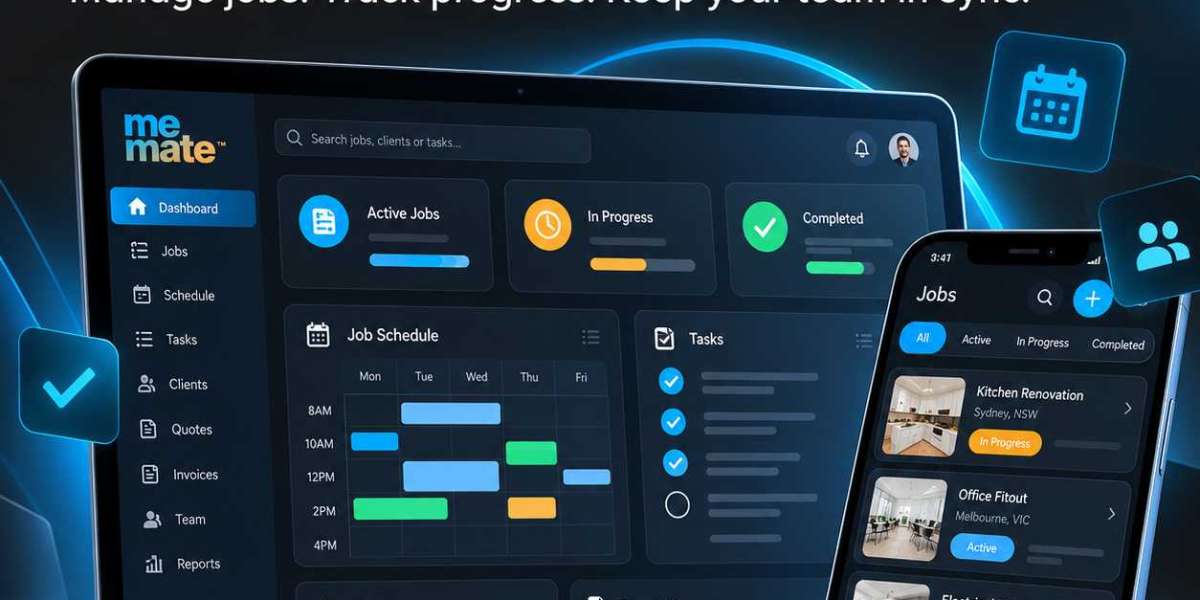
Running a service business involves more than completing work. Business owners must respond to enquiries, prepare quotes, allocate staff, manage schedules, communicate with customers and ensure invoices are issued on time. When these activities rely on spreadsheets, paper notes and disconnected applications, important details can easily be overlooked.
A job management app helps businesses organise these activities in one place. It allows teams to create jobs, assign responsibilities, monitor progress and maintain relevant customer and project information. Depending on the platform, it may also connect scheduling, time tracking, quoting and invoicing.
For small businesses and growing service teams, the goal is straightforward: establish a more consistent workflow, reduce avoidable administration and give everyone a clearer view of what needs to happen next.
What Is a Job Management App?
A job management app is software that helps businesses plan, organise, assign and monitor individual jobs from the initial enquiry through to completion. A job might involve repairing a vehicle, installing equipment, cleaning a commercial property, delivering a project or providing a professional service.
Rather than storing job details across emails and documents, the business maintains a central record containing information such as the customer's requirements, agreed costs, assigned workers, deadlines, tasks and completion status.
Managers can use this information to coordinate workloads, while employees can access their assignments and understand their responsibilities. The precise capabilities depend on the software selected.
Common Job Management Challenges for Small Businesses
Many operational problems arise when information is scattered or processes depend on manual follow-ups.
Scheduling conflicts: Two jobs may be assigned to the same employee or time slot.
Missing information: Staff arrive without the correct instructions, customer details or materials.
Limited visibility: Managers struggle to identify delayed jobs or overloaded employees.
Administrative duplication: Teams repeatedly enter the same information into different systems.
Delayed invoicing: Completed work remains unbilled because job records and payment administration are disconnected.
These issues become more difficult to manage as job volumes increase. A structured system helps establish consistent processes, although it still depends on accurate information and employees updating records regularly.
Key Features to Look for in a Job Management App
Not every business needs an extensive software suite. Prioritise features that address genuine operational problems.
1. Job Scheduling and Staff Allocation
Job scheduling software helps managers assign work according to availability, deadlines, location, skills and workload. A shared calendar can make overlapping appointments and capacity problems easier to identify before they disrupt the day.
For example, a maintenance company could schedule technicians across several customer locations while allowing time for travel and urgent requests. Managers should check whether the software supports availability, schedule changes and notifications relevant to their workflow.
2. Job Tracking and Task Management
Job tracking software provides visibility into the status of work, such as awaiting approval, scheduled, in progress or completed. Task lists can break larger jobs into manageable steps and make responsibilities clearer.
A useful system should make it easy to update progress and identify delays. However, tracking only works when employees record changes promptly and managers review outstanding work.
3. Centralised Customer and Job Records
Customer details, job instructions, communication history, quotes and invoices are more useful when they remain connected to the relevant job. This reduces the need to search through old messages or ask customers to repeat information.
A central record also creates a clearer history of previous work, which can help teams prepare for repeat bookings and resolve queries.
4. Quotes, Invoices and Time Tracking
Connecting operational records with financial administration can reduce duplicate data entry. Depending on the platform, approved quotes may be converted into invoices, while recorded working hours and expenses can help managers compare estimated costs with actual costs.
These connections do not eliminate the need for financial checks. Businesses should still verify rates, tax settings, expenses and invoice details before sending documents to customers.
5. Mobile Access, Communication and Reporting
Mobile access is valuable for technicians, contractors and employees who spend much of their working day away from the office. They may need to review instructions, check schedules or update job status while on site.
Reporting can then help managers examine completion times, overdue jobs, staff utilisation and job profitability. Choose reports that support decisions rather than collecting figures that nobody uses.
How a Job Management App Improves Daily Workflows
Consider a plumbing business receiving a request to repair a leaking pipe.
First, the office records the customer's contact details, address and description of the problem. The business prepares a quote and confirms the appointment. Once approved, the job is scheduled and assigned to an available plumber.
The plumber reviews the instructions, completes the repair and updates the job record. The office can check progress, record relevant expenses and issue the invoice using the information already collected.
Without a connected process, each stage might require separate messages, spreadsheets and manual data entry. A well-configured app makes information easier to follow from enquiry to payment.
Business management platforms such as meMate provide an example of this broader approach. Its published features include client management, quoting, project and job management, scheduling, time tracking, invoicing and reporting. Whether it suits a particular business depends on its workflow, required integrations and operational needs.
How to Choose the Right Job Management Software
Before committing to a platform, assess how well it fits your existing operations.
Usability: Can office staff and field employees learn it without unnecessary complexity?
Mobile functionality: Can employees access and update the information they need on site?
Integrations: Does it work with essential accounting, communication or other business systems?
Reporting: Can you measure overdue jobs, workload, costs and completion rates?
Scalability: Will it accommodate additional employees, contractors, locations or job volumes?
Pricing transparency: Check subscription fees, user limits, onboarding costs, add-ons and cancellation terms.
Data protection: Review permissions, backup arrangements, data export options and the provider's security information.
Request a demonstration and test the software using a realistic job. Confirm that it handles the exceptions your team regularly encounters, including cancellations, urgent bookings and changes to job scope.
Common Implementation Mistakes to Avoid
Buying software does not automatically improve operations. Businesses often struggle because they attempt to digitise disorganised processes without addressing the underlying problems.
Start by mapping the existing workflow and removing unnecessary steps. Standardise job statuses, decide who owns each task and establish minimum requirements for job records. Train employees using realistic examples rather than relying solely on written instructions.
Introduce the system in manageable stages, gather feedback and review how employees use it. Avoid adding excessive mandatory fields or complicated approval processes that make routine work slower.
How to Measure Whether Your Process Is Improving
Establish a baseline before introducing the app. Useful measures include:
The percentage of jobs completed on schedule.
Average time from customer enquiry to job completion.
Number of missed appointments and scheduling conflicts.
Time spent on administration and preparing invoices.
Outstanding jobs and overdue payments.
Estimated versus actual labour and job costs.
Review these measures regularly and compare similar periods. Consider seasonal demand, changes in staffing and job complexity before attributing improvements to the software alone.
Frequently Asked Questions
1. What does a job management app do?
It helps businesses create jobs, assign employees, schedule work, track progress and maintain job records. Depending on the platform, it may also support customer management, quoting, invoicing, time tracking and reporting.
2. Which businesses benefit from job management apps?
Tradespeople, maintenance providers, cleaning companies, repair businesses, contractors and professional service teams can benefit when they coordinate multiple jobs, employees or customer appointments.
3. What is the difference between job management software and project management software?
Job management software typically focuses on operational work orders, scheduling, staff allocation and job completion. Project management software often emphasises project milestones, dependencies and collaboration across longer initiatives. Some platforms support both.
4. How does job tracking software improve accountability?
It provides a shared view of job status, assigned responsibilities and outstanding tasks. Teams can identify delays earlier, provided employees update records accurately and managers follow up on exceptions.
5. Is a mobile job management app necessary?
It is particularly useful when employees work at customer premises or travel between sites. Mobile access can help them check instructions, review assignments and update progress without returning to the office.
6. How should a small business choose a job management app?
Identify your main workflow problems, list essential features, compare total costs and test the software with real jobs. Check usability, mobile access, integrations, reporting, security and the ability to export your data before making a decision.
Conclusion
A job management app can give small businesses a more reliable way to organise work, coordinate employees and maintain accurate job records. Its greatest value comes from connecting everyday activities into a clear, repeatable process rather than simply replacing paper with screens.
Start with the problems that cost your business the most time, evaluate software against those needs and introduce clear working practices alongside the technology. With consistent adoption and meaningful performance measures, job management becomes easier to oversee as the business grows.



